
Highlight, Annotate and Take Notes on Any Webpage
Highlight text, jot down ideas, and clip articles on any page — then sync everywhere to the knowledge tools you already use.




More ways to install (phones, tablets, offline crx) → install guide
Core Features
One extension covering reading, clipping, syncing, and sharing.
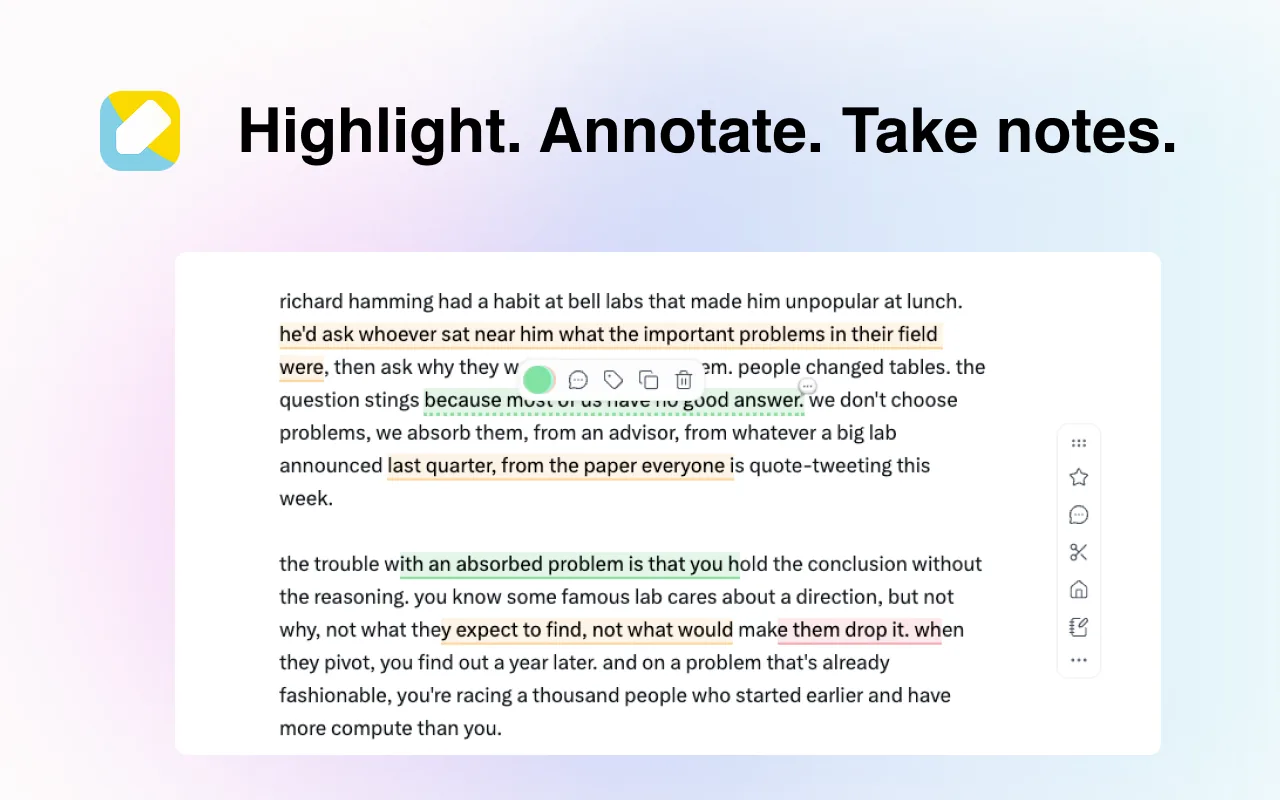
Highlight text anywhere on a page, add annotations, and take notes directly on web pages
See how highlighting works →Works across Chrome, Edge, Safari, Firefox, and more — synced across desktop, tablet, and mobile
Mobile setup →Open API with deep integrations for uTools, PopClip, Quicker, and other productivity tools
API reference →Supports OpenClaw, connecting to more external services and workflows to extend use cases
About OpenClaw →WuCai CLI lets you batch manage and export your annotations right from the terminal
Why WuCai Highlight
Years of focus on web annotation, connecting reading, clipping, and knowledge management.
Cross-Platform Support
A powerful web highlighting and annotation tool that works seamlessly across Chrome, Edge, Firefox, Safari, and tablets.
Best-in-Class Highlighting
Continuously optimized and adapted for numerous websites, WuCai Highlight delivers the best underlining and annotation experience.
Seamless Synchronization
Keep your notes and articles in sync with popular tools like Obsidian, flomo, Logseq, and SiYuan.
What you will use it for
Most people start with one specific reading task.
- Mark up a long article, then come back later and find your highlights exactly where you left them
- Collect quotes from different sites into one place, organised with tags and folders
- Save articles to the WuCai dashboard and finish reading them on the commute
- Send everything to Obsidian or SiYuan and let it grow into your own knowledge base
Mentioned by
Frequently asked questions
The questions people ask most about installing, pricing and sync.
What is WuCai Highlight, and which browsers does it support?
A browser extension for highlighting text, annotating pages and taking notes. It works in Chrome, Edge, Firefox and Safari, on desktop, phones and tablets. See the full feature list
Is WuCai Highlight free?
The free plan covers highlighting, annotation and notes. PRO membership is billed yearly and unlocks features such as the assistant and the API. Compare plans
Where are my highlights stored?
In the cloud, tied to your account. Sign in on another browser or computer and your whole library is there. Install and sign in
Can I sync highlights to Obsidian?
Yes. Obsidian, SiYuan, Logseq and flomo are all supported; what arrives is your highlights, notes and page notes, with templates you can customise. How sync works
Does it work with PDF files?
Not yet — WuCai focuses on content on web pages. What is supported
Can I use it on a phone?
Yes. On Android and iOS you can install the extension in Edge, or read your highlights in the dashboard. Mobile options